Tutorial verification steps
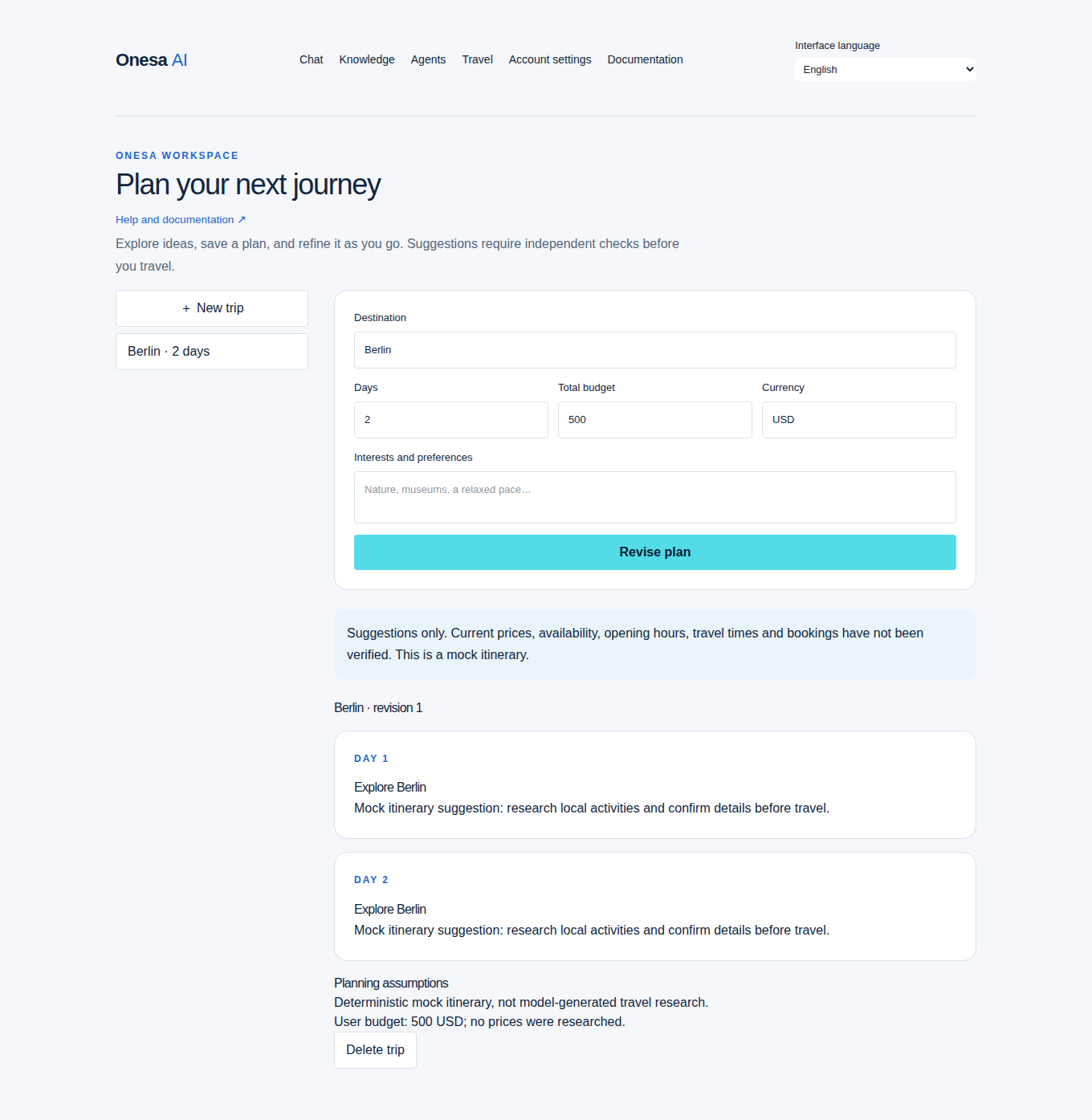
Use visual guides for account creation, first Chat, history, Knowledge upload/search, agent grants and Travel. Screenshots use synthetic documentation data.
| Procedure | Expected result |
|---|---|
| Fresh installation / start | Migrations complete and sign-in loads |
| Create account / first conversation | Owned user and completed response appear |
| Configure Ollama / model | Badge reports real backend and installed identifier |
| Knowledge upload / search | Owned document and attributed excerpts appear |
| Grant local agent tools | Allowed bounded tool run completes; ungranted tools fail |
| Travel planning | Typed saved itinerary appears; live providers stay unavailable |
| API request | Session/CSRF checks apply; response matches schema |
| Docker / migrations | Service readiness follows schema upgrade |
| Tests | Dedicated test database used; operational data untouched |
| NVIDIA preparation | Configuration only until target-host checks execute |
| Backup / restoration | Internal operator procedure uses isolated restore verification |
A checked deployment checklist is a local note, not automated infrastructure validation.
Account, Chat and history
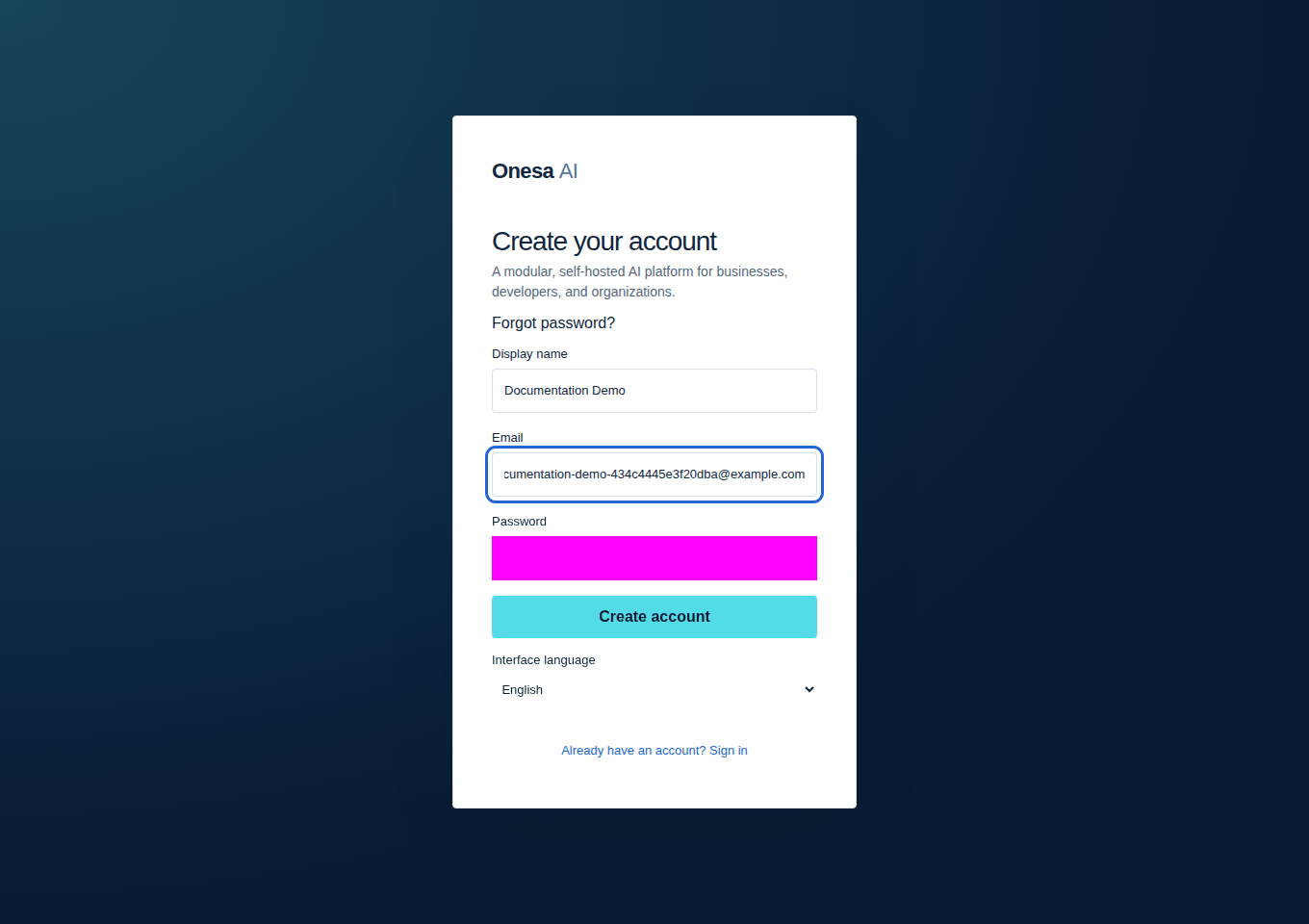
- Start the application with the quickstart, open the sign-in screen and choose Create an account.
- Use synthetic development data and submit. Expected: the authenticated Chat view opens.
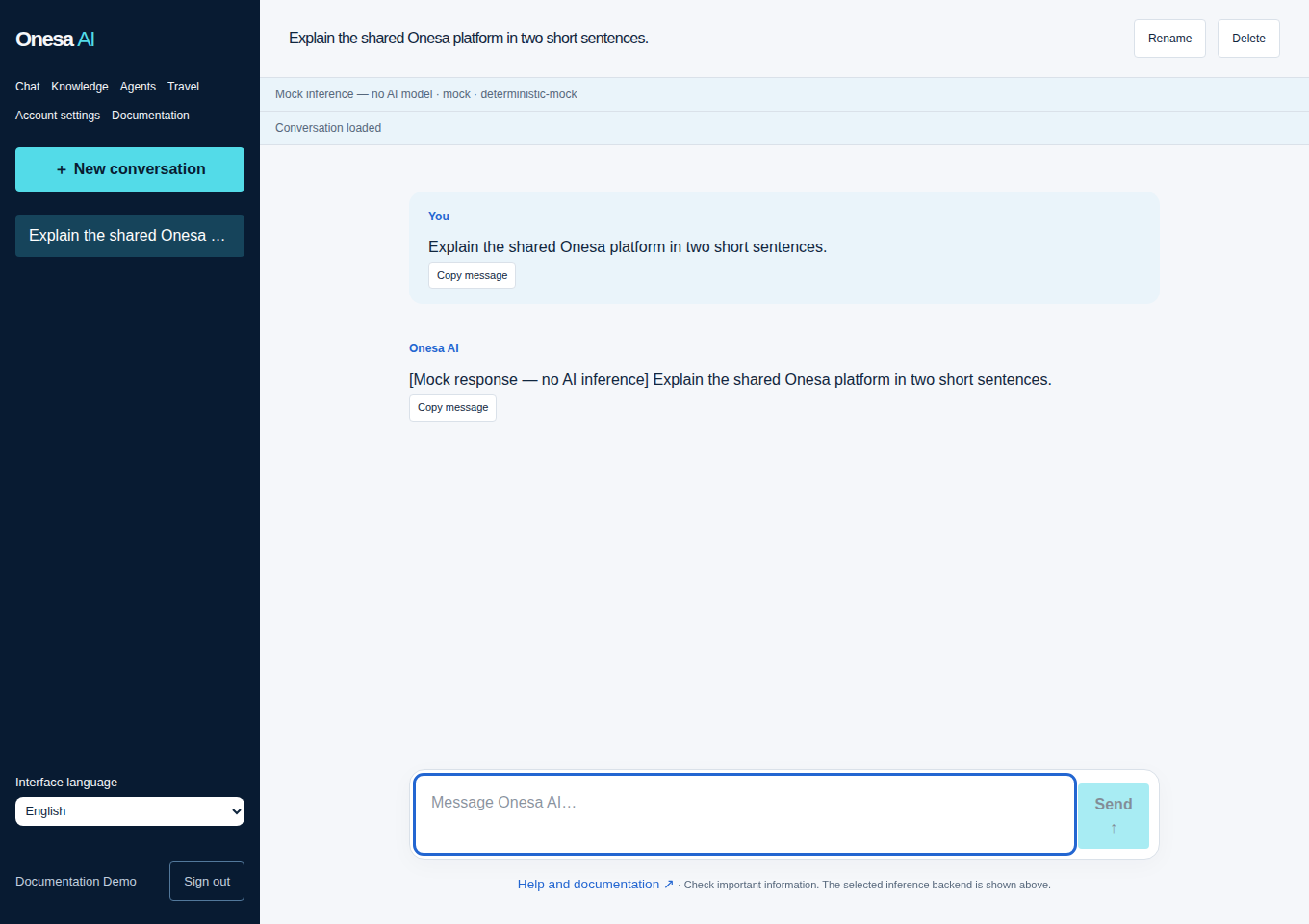
- Choose New conversation and send a short message. Expected: response text arrives and a completed message is saved.
- Reopen that conversation. Expected: owned history remains visible. The badge distinguishes real inference from mock.
Knowledge upload and search
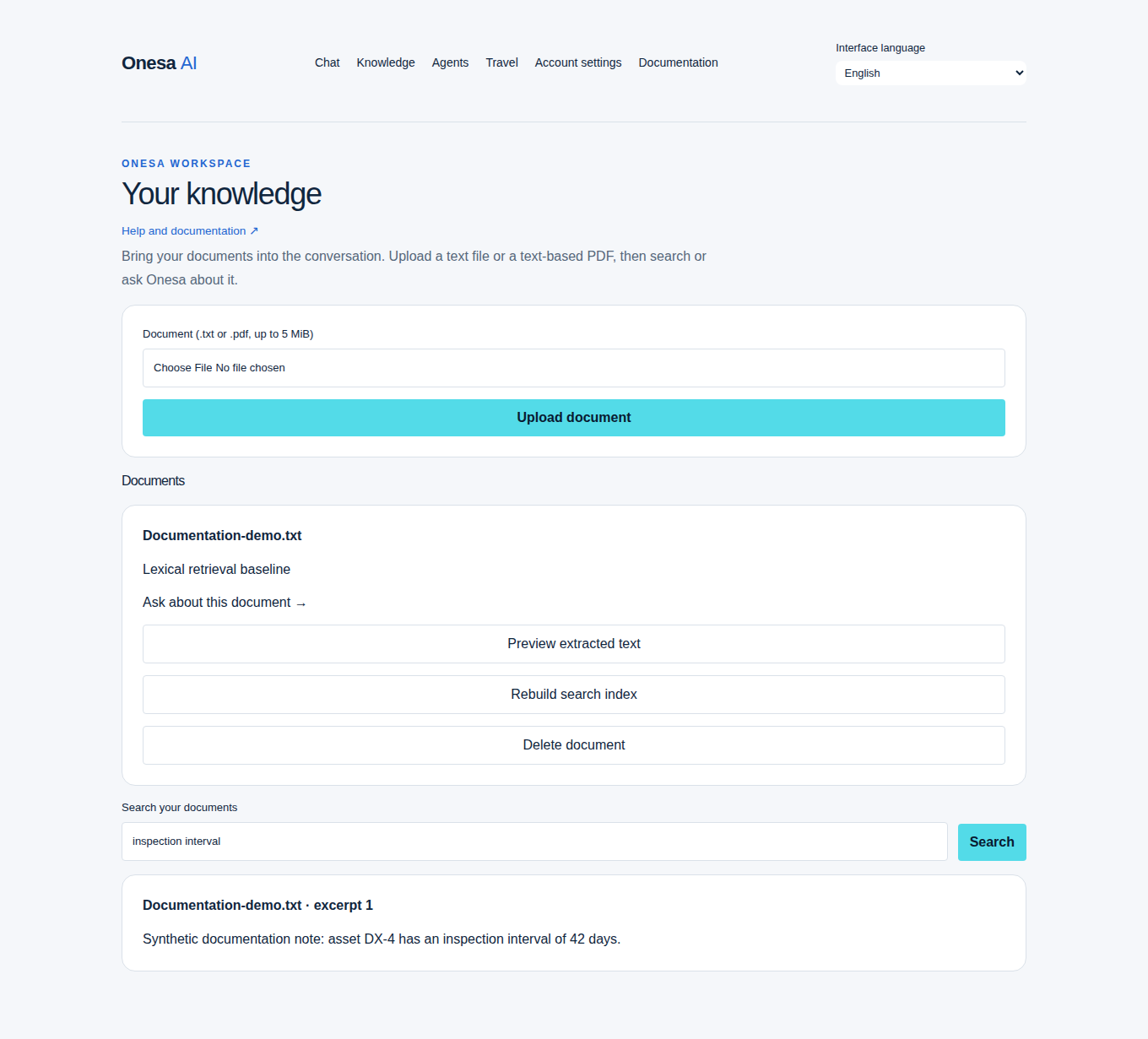
Open Knowledge, choose a synthetic TXT/PDF within the upload limit and upload. Search a phrase from the document. Expected: owned document and attributed matching excerpts. Current retrieval is lexical. Upload errors and unsupported formats appear as controlled errors.
Agent tools
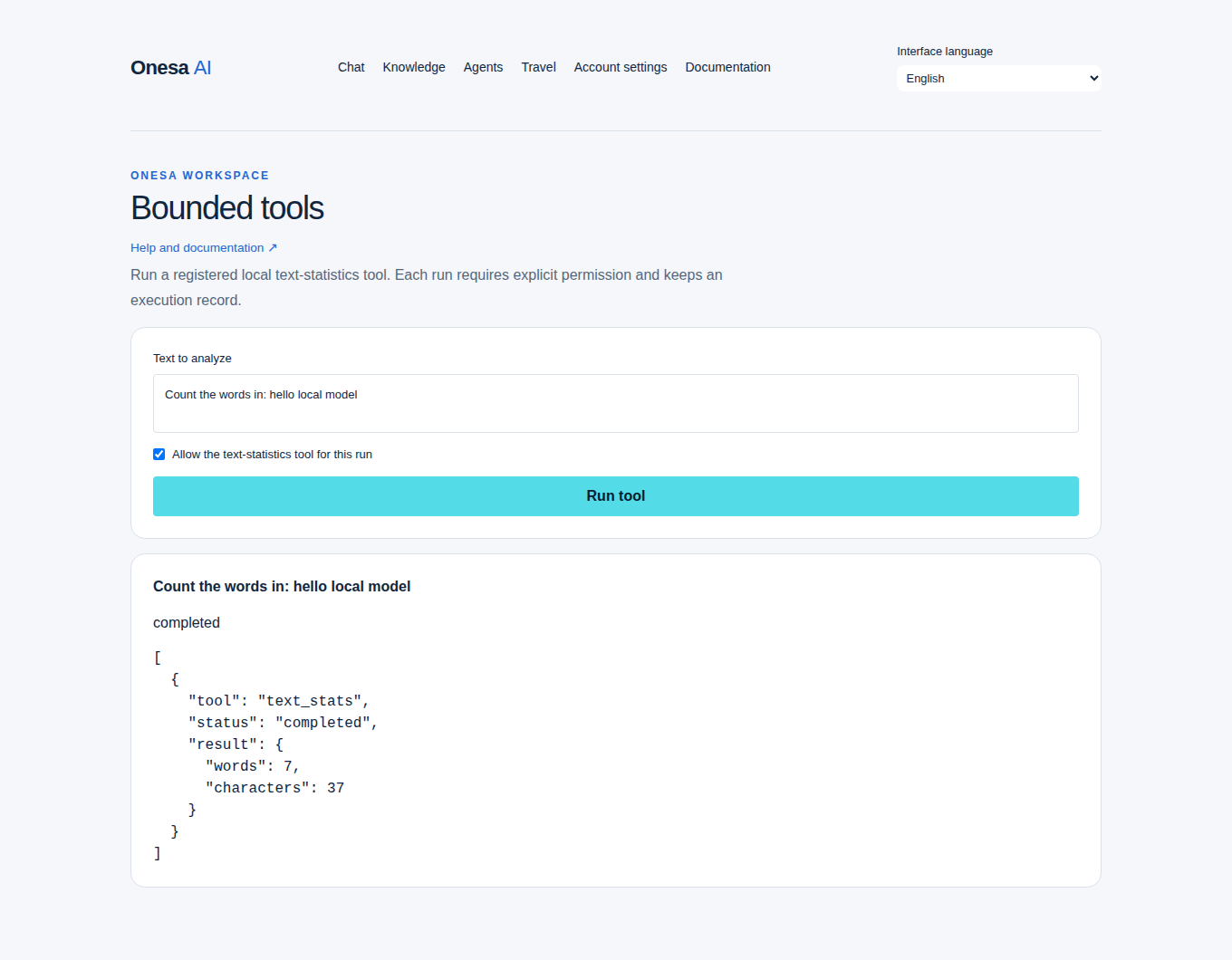
Open Agents, enter Count the words in: hello local model, explicitly grant the statistics tool and run. Expected: bounded tool result and completed state. Without a grant, tool execution must be refused. Model planning can fail validation; inspect the result instead of assuming success.
Travel
Open Travel, enter Berlin and two days, then create a plan. Expected: saved structured itinerary with revision 1. Treat generated suggestions as unverified; live prices, availability and bookings are unavailable.
For an API integration, use the validated examples with session cookies, the configured Origin and mutation CSRF token. Operator migration, backup and infrastructure procedures are restricted to the engineering portal. Troubleshooting.